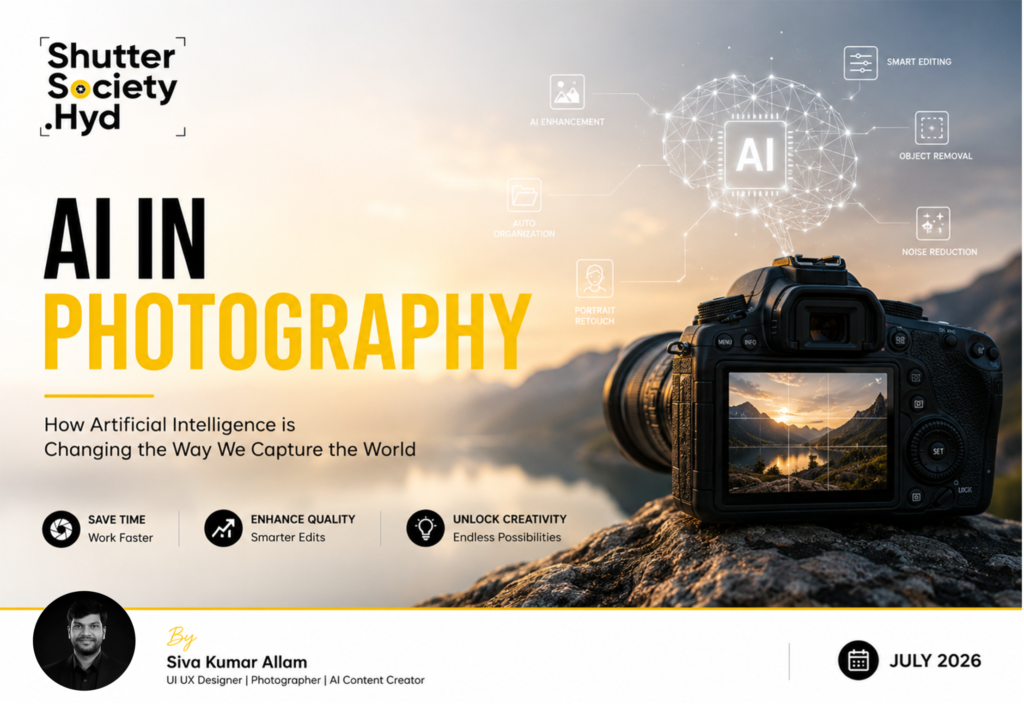
AI in Photography: How Artificial Intelligence is Changing the Way We Capture the World
Photography has always evolved with technology. We moved from film cameras to digital cameras, from manual editing to powerful editing software, and now we are entering a new era powered by Artificial Intelligence (AI).
Today, AI is helping photographers work faster, edit smarter, and explore creative ideas that once took hours or even days to achieve. But does this mean AI will replace photographers?
Not at all. AI is simply another tool, just like a camera, a lens, or editing software. It can make our workflow easier, but it can never replace creativity, emotions, timing, or the unique perspective of a photographer.
Let’s explore how AI is transforming photography and how you can use it to improve your work.
What is AI in Photography?
Artificial Intelligence in photography refers to smart software that can analyze images, recognize subjects, automate editing tasks, and even generate creative suggestions.
Think of AI as your digital assistant – it handles repetitive work so you can focus on creativity.
1. AI-Powered Photo Editing
One of the biggest advantages of AI is photo editing.
Instead of spending hours adjusting every image manually, AI can complete many tasks within seconds.
What AI can do
- Improve exposure automatically
- Correct colors
- Enhance sharpness
- Remove image noise
- Adjust white balance
- Improve contrast
- Detect faces
- Enhance portraits
Example:
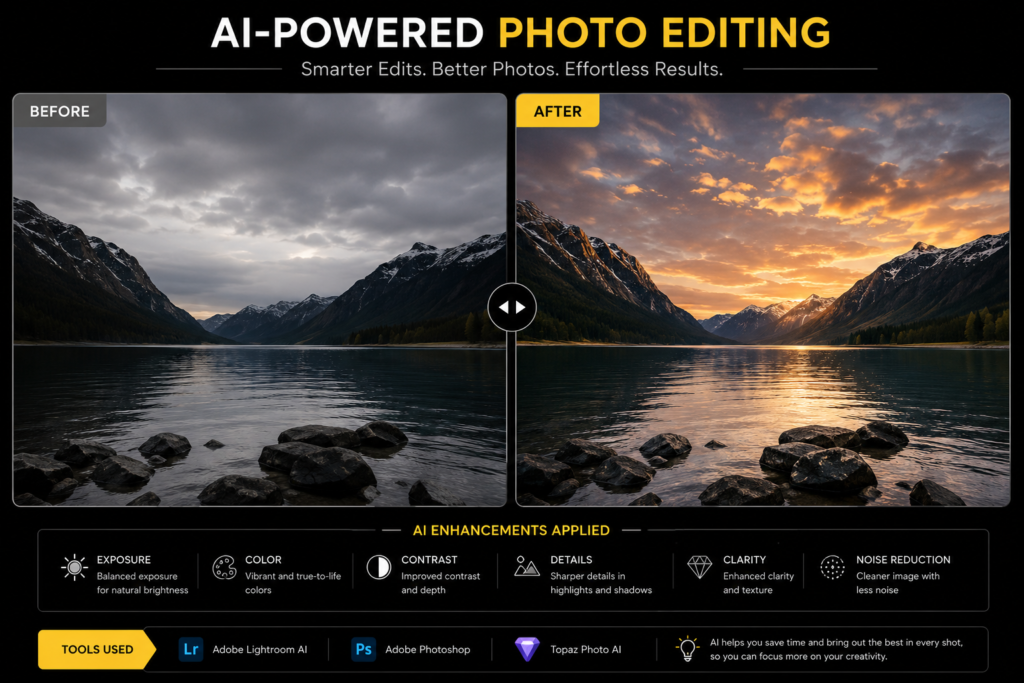
Before:
- Underexposed photo
- Dull colors
- Visible noise
After:
- Balanced exposure
- Rich colors
- Clean and sharp image
Recommended Tools:
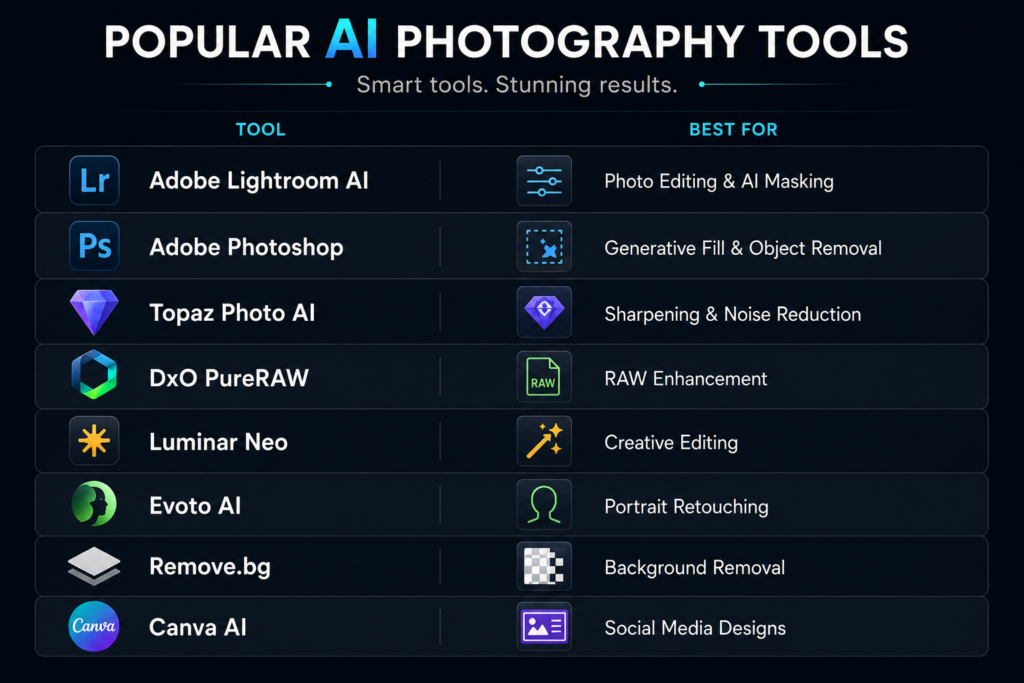
- Adobe Lightroom AI
- Adobe Photoshop
- Luminar Neo
- Topaz Photo AI
2. AI Object Removal
Sometimes a beautiful photo gets spoiled by unwanted people, wires, vehicles, or distracting objects.
AI can remove them naturally.
Example
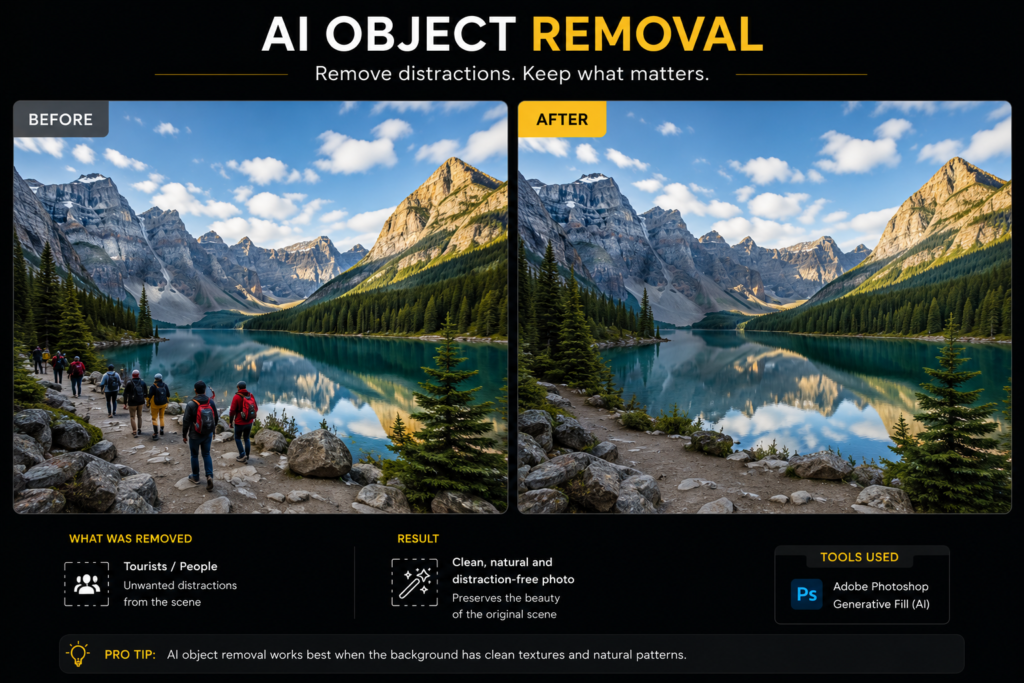
Before:
A beautiful landscape with tourists walking in the frame.
After:
Clean landscape with no distractions.
Recommended Tools:
- Adobe Photoshop (Generative Fill)
- Cleanup.pictures
- SnapEdit
3. AI Sky Replacement
Bad weather doesn’t always mean a bad photograph.
AI allows photographers to replace a dull sky with a dramatic sunset, colorful clouds, or a beautiful blue sky.
Example:
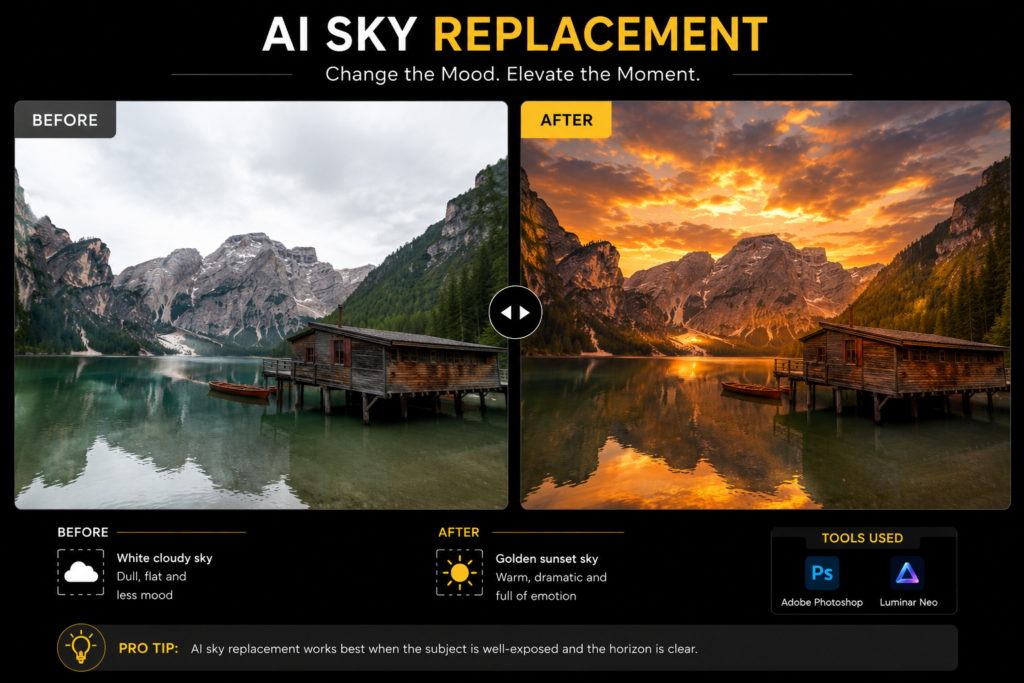
Before:
White cloudy sky.
After:
Golden sunset sky.
Recommended Tools:
- Luminar Neo
- Adobe Photoshop
4. AI Noise Reduction
Low-light photography often creates unwanted digital noise.
Modern AI tools can remove noise while preserving details.
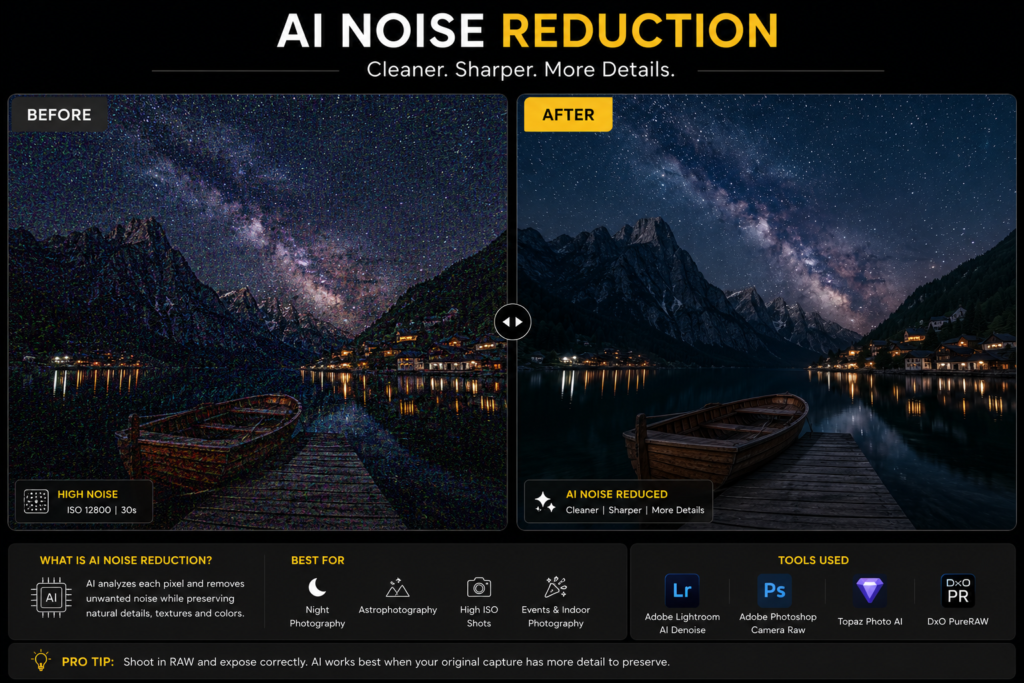
Perfect for:
- Night photography
- Wildlife photography
- Event photography
- Wedding photography
Recommended Tools:
- Topaz Photo AI
- DxO PureRAW
- Lightroom AI Denoise
5. AI Portrait Retouching
Portrait editing becomes much faster with AI.
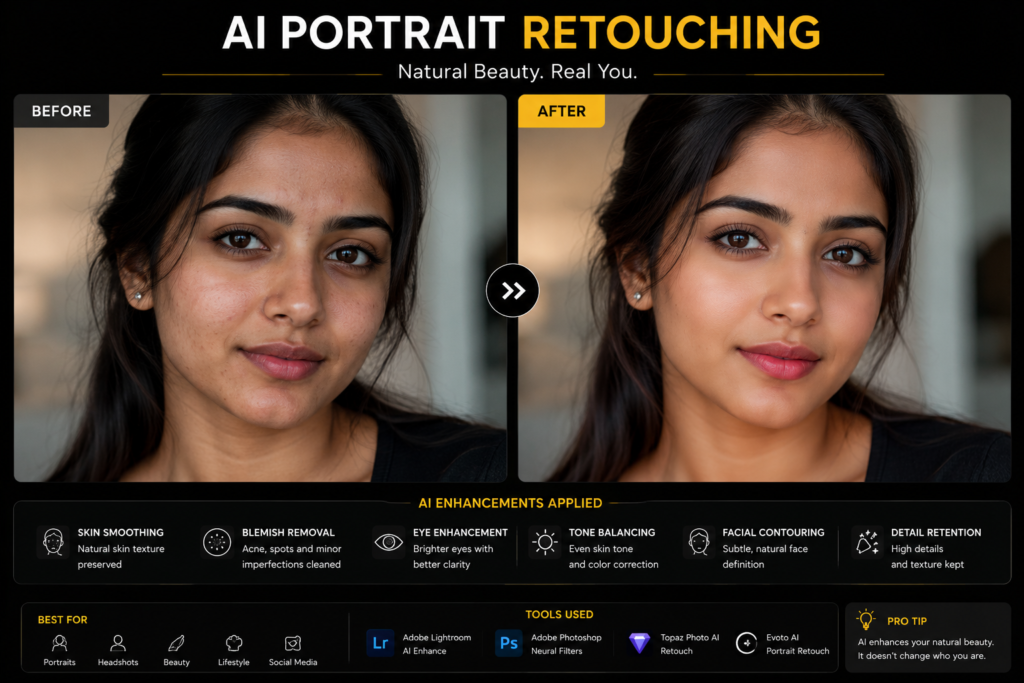
AI can:
- Smooth skin naturally
- Remove blemishes
- Brighten eyes
- Improve lighting
- Enhance facial details
The goal should always be natural-looking results, not over-editing.
Recommended Tools:
- Evoto AI
- Adobe Lightroom
- Photoshop
6. AI Photo Organization
Imagine returning from a wedding shoot with 5,000 photos.
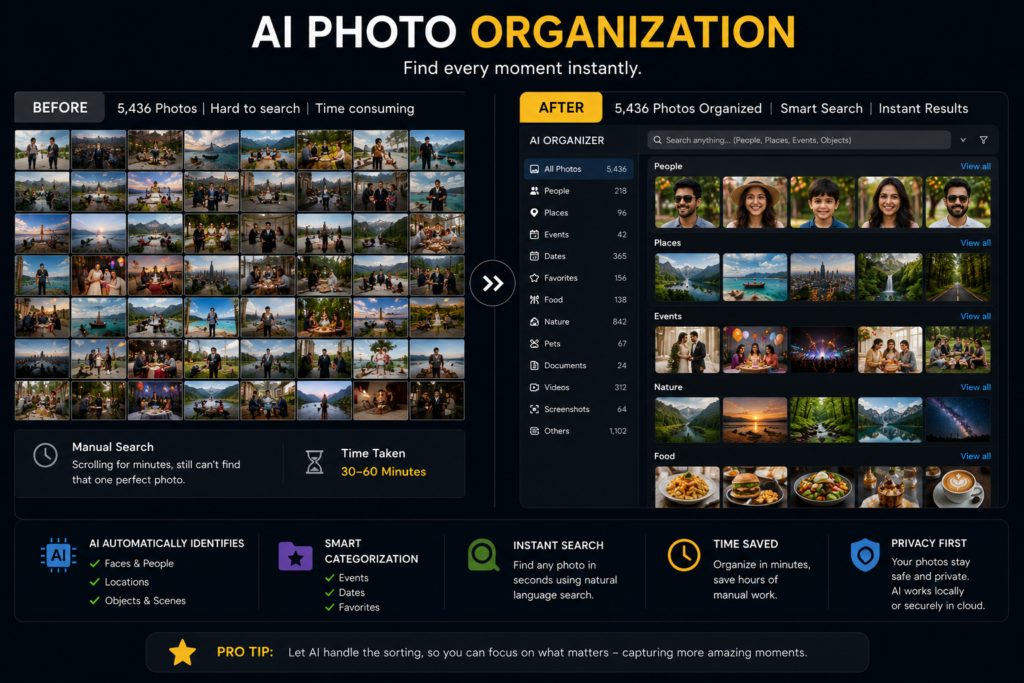
Instead of manually sorting everything, AI can automatically identify:
- Faces
- People
- Locations
- Objects
- Pets
- Events
This saves hours of work.
7. AI Inside Modern Cameras
Many photographers already use AI without realizing it.
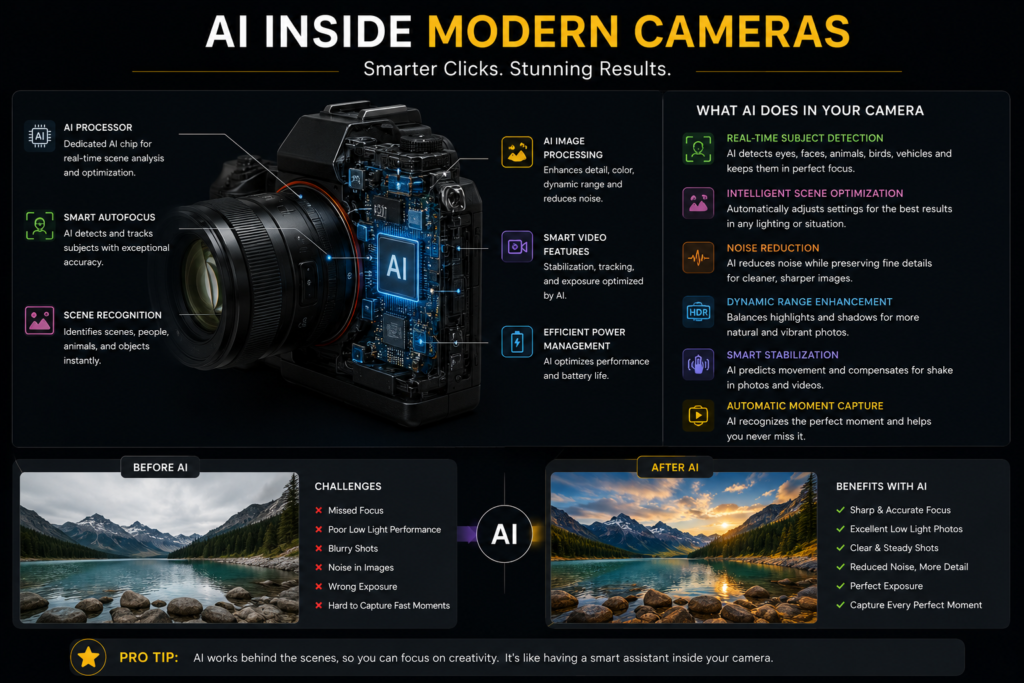
Modern cameras and smartphones use AI for:
- Eye Autofocus
- Subject Tracking
- Scene Detection
- Portrait Mode
- HDR Processing
- Night Mode
These features help capture sharper and better photographs even in difficult conditions.
8. AI for Creative Ideas
AI isn’t only for editing.
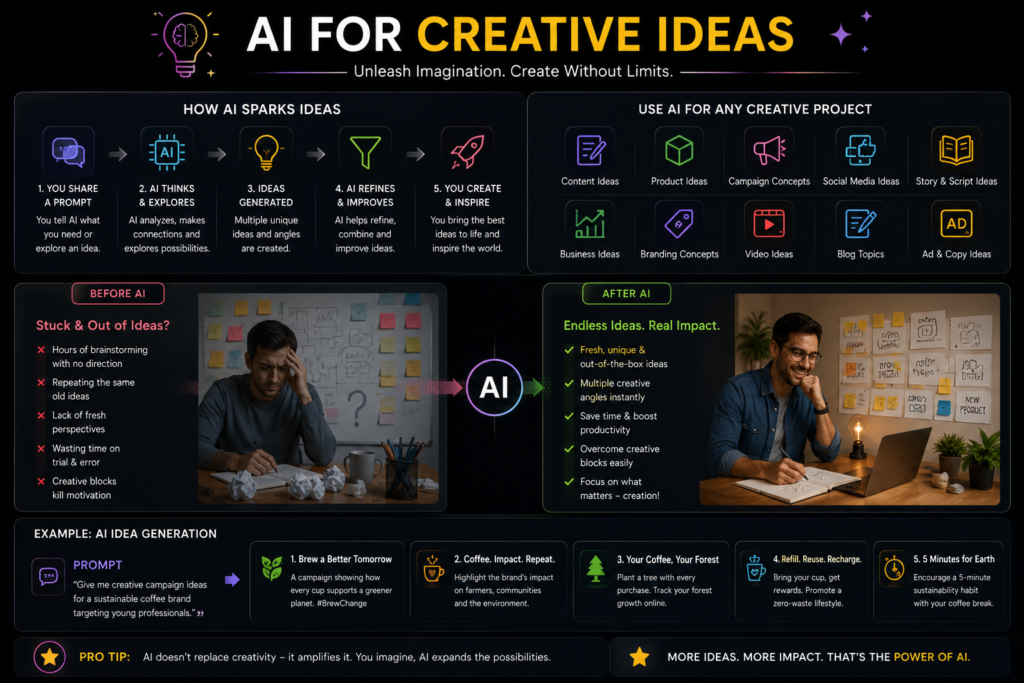
It can also help photographers:
- Generate photoshoot ideas
- Create mood boards
- Plan locations
- Suggest lighting setups
- Create marketing posters
- Design social media content
Many photographers now use AI as a creative brainstorming partner before a shoot.
A Real-Life Photography Workflow Using AI
Here’s how many professionals use AI today:
- Capture RAW photos.
- Import them into Adobe Lightroom.
- Use AI to cull and select the best images.
- Apply AI Denoise if needed.
- Use AI masking for quick adjustments.
- Open selected photos in Photoshop for Generative Fill or object removal.
- Export the final images.
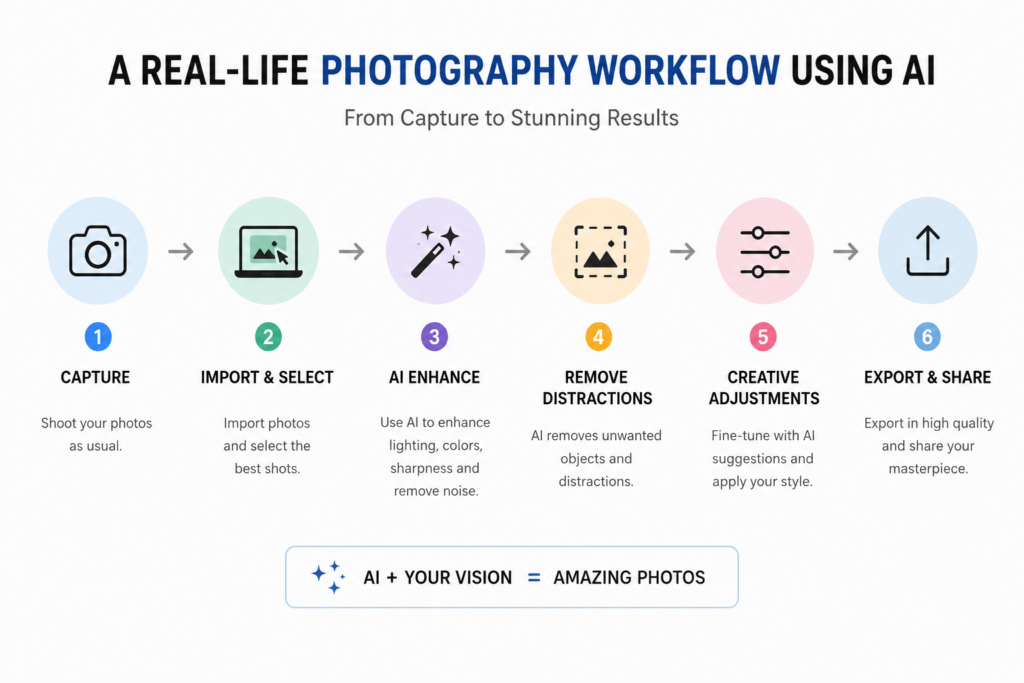
This workflow saves several hours while maintaining professional quality.
Time Saved with AI
Traditional Workflow
- Photo Selection – 3 Hours
- Editing – 6 Hours
- Retouching – 4 Hours
Total: 13 Hours
AI-Assisted Workflow
- AI Photo Selection – 20 Minutes
- Editing – 2 Hours
- Retouching – 40 Minutes
Total: Around 3 Hours
“AI doesn’t replace photographers – it removes repetitive work.”
Can AI Replace Photographers?
This is one of the most common questions.
The answer is “NO“.
AI cannot replace:
- Creativity
- Emotions
- Storytelling
- Patience
- Human connection
- Perfect timing
- Artistic vision
A camera captures a scene.
A photographer captures a story.
AI can enhance an image, but only a photographer knows
when, where, and why to press the shutter.
Ethical Use of AI
As photographers, we should use AI responsibly.
Always remember:
- Don’t mislead people with fake documentary or news images.
- Respect copyright and ownership.
- Obtain permission before using someone’s photographs.
- Be transparent when AI-generated elements significantly alter an image.
- Use AI to enhance creativity, not to deceive viewers.
Technology should support trust, not replace it.
Pro Tips
💡 Learn photography before learning AI.
Understanding light, composition, and storytelling will always be more valuable than relying only on software.
💡 Shoot in RAW whenever possible.
AI tools perform much better with RAW files.
💡 Don’t over-edit.
Natural-looking photographs usually have more impact than heavily edited ones.
💡 Practice regularly.
The more you shoot, the more you’ll understand where AI can genuinely help.
Frequently Asked Questions
Is AI replacing photographers?
No. AI is helping photographers become more productive.
Which AI tool is best for beginners?
Adobe Lightroom AI is one of the easiest tools to start with.
Is AI editing cheating?
Not at all. Editing has always been part of photography. AI simply speeds up the process.
Should every photographer learn AI?
Yes. Learning AI alongside traditional photography skills will help photographers stay competitive and improve their workflow.
Final Thoughts
Photography has never been about owning the most expensive camera. It has always been about observing the world differently, capturing emotions, and telling meaningful stories.
Artificial Intelligence is another step in the evolution of photography. It can save time, improve efficiency, and inspire creativity, but it can never replace the heart behind the camera.
The future belongs to photographers who combine traditional photography skills with modern AI tools.
So, keep learning. Keep experimenting. Keep creating.
Because technology will continue to evolve, but a photographer’s vision will always remain timeless.
“AI can edit a photograph, but only a photographer can create a story that people will remember.”